
Samarth Portal: Login, Registration, Admission & Complete Guide 2026 | समर्थ पोर्टल की पूरी जानकारी
Students dealing with admissions, forms, records and other services separately can find university work confusing. The Samarth Portal eases these tasks by providing a single online portal for accessing important university services. Students, teachers and institutions can manage different academic activities from one place. It makes everyday university tasks simpler and more convenient.
Disclaimer: Samarth-Portal.com is not an official government website and is not affiliated with any government authority, university, or Samarth eGov Portal. This website is created only for informational and educational purposes to help users understand Samarth Portal services, login processes, admissions, registrations, and related updates. Visitors are advised to verify official information through the official Samarth Portal website before making any decision.
What is Samarth Portal? | समर्थिक पोर्टल क्या है?
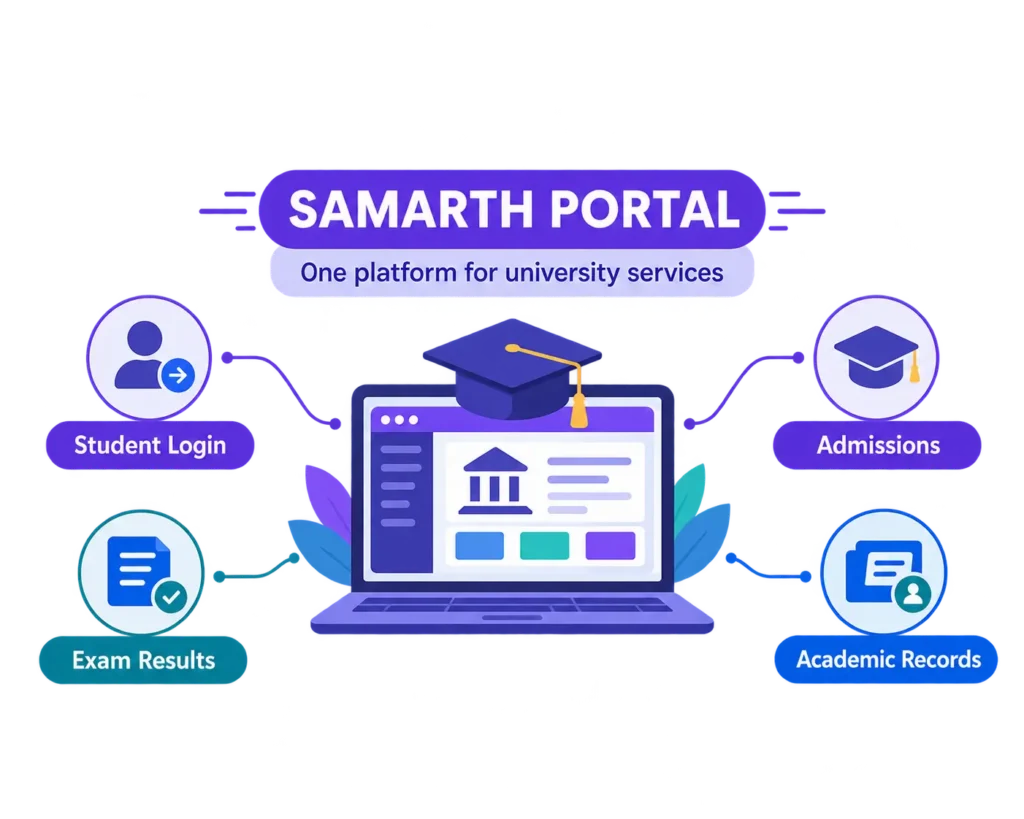
Samarth Portal is a digital platform for Indian universities & colleges to provide their academic & administrative services online. It provides a single, online system for students, faculty and university staff to access important services. Through Samarth Portal, users can do a lot of activities digitally instead of going to different departments for different tasks.
The platform offers a one stop solution for all day to day processes from admissions and student records to examinations and other university services. The portal provides a complete digital solution for institutes of higher education. Universities can use it to manage a variety of operations. Students can also make use of useful services such as applications, updates, forms and academic information online.
Samarth Portal is developed under the Samarth eGov Suite, an initiative to support the digitization in higher education. The system structure is the same, although different universities can use customized versions of the portal according to their needs.
What is the Full Form of Samarth? | समर्थ का फुल फॉर्म क्या है?
Many people search full form of samarth but there is no official full form. Samarth is a Hindi word and not an acronym. It means able, skilled or empowered. The platform is officially named Samarth eGov Suite where eGov stands for electronic governance.
The name reflects the ambition to improve the availability, structure and efficiency of university services through digital technology. There are other websites that have different full form of Samarth but the meaning is not official. Samarth is the moniker given to a digital education platform. It is not an acronym of any phrase.
Who Built the Samarth Portal? | समर्थ पोर्टल किसने बनाया?
The Samarth Portal has been developed as a digital initiative for the facilitation of higher education institutions of the country. The platform is developed under the aegis of Ministry of Education, Government of India and is associated with University of Delhi to help universities to manage their academic and administrative activities on online platform.
Samarth is being developed under the National Mission on Education through Information and Communication Technology (NMEICT) to harness technology to improve access to and management of education services in India.
The platform provides online services to universities to manage processes such as admissions, student information, examinations and other institutional services. It helps educational institutions to move toward a more systematic and technology based system.
Backed by government programs and higher education institutions, Samarth Portal continues to deliver a common digital platform that helps universities improve their online services and provide a better experience to students, faculty and administrators.
What is the Official Website of Samarth Portal? | समर्थ पोर्टल की ऑफिशियल वेबसाइट क्या है?
The Samarth Portal official website is samarth.ac.in. It provides information on Samarth eGov Suite & its digital services for Higher Educational Institutions. But students don’t usually log in through the main site. The login page will be as per the associated university/institution of the Samarth platform. Every university will have its own Samarth portal tailored to its requirements, through which students will be able to avail various online services. These are institution-specific portals where students can manage admissions, applications, academic information, examinations and other essential services.
Popular Samarth Portal Links
|
University / Institution |
Samarth Portal URL |
|---|---|
|
gauhati.samarth.edu.in |
|
|
ignou.samarth.edu.in |
|
|
DSEU Delhi |
dseu.samarth.edu.in |
|
Banaras Hindu University (BHU) |
bhu.samarth.edu.in |
|
csjmu.samarth.edu.in |
|
|
Delhi University (DU) |
du.samarth.edu.in |
|
vbspu.samarth.edu.in |
|
|
Pondicherry University |
pondiuni.samarth.edu.in |
|
Assam Admissions |
assamadmission.samarth.ac.in |
|
muugadmission.samarth.edu.in |
Always login to your account through the samarth link shared by your university. You can visit the official university website before login to check that you are on the correct portal and not clicking on the wrong links.
Who Can Use the Samarth Portal? | समर्थ पोर्टल का उपयोग कौन कर सकता है?
Samarth Portal is for the whole university community, not just students. It provides differentiated services for students, teachers and administrative teams, depending on the role and the needs.
For Students (छात्रों के लिए)
The Samarth Student Portal helps students manage various academic tasks online. From applying for admission to checking course details, examination updates, and application status, students can use the portal to access important university services in one place.
For Faculty Members (शिक्षकों के लिए)
Teachers and faculty members can login to Samarth Portal through their university provided accounts. They can use the platform for academic purposes such as maintaining course information, updating student records, entering the marks and managing other teaching related activities.
For Administrative Staff (प्रशासनिक कर्मचारियों के लिए)
University staff members use Samarth Portal to manage different administrative responsibilities. Departments such as accounts, admissions, examination offices, and student services can use the system to organize records, process requests, and improve daily operations.
For Applicants (नए आवेदकों के लिए)
Students who want to apply for admission can use Samarth Portal during the application period. They can submit required details, complete online applications, and follow admission related updates through the portal.
Samarth Portal Registration Process Step by Step | समर्थ पोर्टल पर रजिस्ट्रेशन कैसे करें?
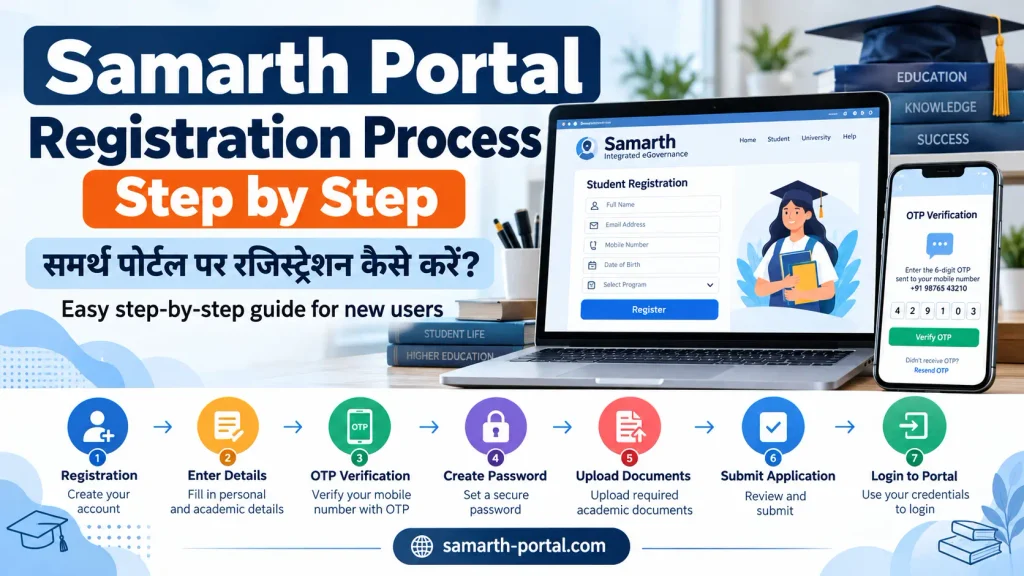
Registering on the Samarth Portal is a simple process, but you need to keep some basic details ready before starting. Make sure you have your mobile number, email address, and required academic documents available for a smooth registration process. Follow these steps to create your Samarth Portal account:
Visit Your University’s Samarth Portal
Open the official Samarth Portal link provided by your university or institution.
2. Click on the Registration Option
Find the “New Registration” or “Register” button on the homepage and select it.
3. Enter Your Basic Details
Enter your personal details accurately. For example, your full name, date of birth, email address and mobile number.
4. Verify Your Contact Details
An OTP may be sent to your registered mobile number or email address. Enter the OTP to confirm your details.
5. Create a Secure Password
Set a strong password that contains a combination of letters, numbers, and special characters.
6. Complete the Registration Form
Provide the required information carefully and upload documents if requested by your university.
7. Submit Your Registration
Please verify all the details before you submit the form. Upon successful submission, note your registration number or application ID.
8. Login to Your Account
Use your registered email/mobile number and password to access your Samarth Portal account.
Tips for Successful Registration
Use an active mobile number and email address.
Enter details exactly as shown on your documents.
Keep your login details safe for future use.
Check all information before final submission.
Common Registration Problems and Solutions
Sometimes students may face issues while registering on the Samarth Portal. Below are some common problems and their possible solutions:
- OTP Not Received: Check your mobile network connection and email inbox. Wait for a few minutes and request the OTP again.
- Unable to Create Account: Make sure all required fields are filled correctly and your entered details match your official documents.
- Forgot Password: Click on the “Forgot Password” option available on the login page and follow the steps to reset your password.
- Website Not Opening: Check your internet connection, try using a different browser, or access the portal again after some time.
Samarth Portal Login Process Step by Step | समर्थ पोर्टल पर लॉगिन कैसे करें?
Once you have your registered account details, logging into the Samarth Portal is simple. Students can use the official Samarth login link provided by their university to access their university dashboard.
1. Open Official Portal
Visit your university’s official Samarth Portal login page.
2. Enter Login Details
Enter your registered email, username, or enrollment number and password.
3. Complete Verification
Enter the captcha code shown on the login screen.
4. Access Your Dashboard
Click Login to open your student dashboard after successful verification.
How to Apply for Admission on Samarth Portal? | समर्थ पोर्टल पर एडमिशन कैसे करें?

Applying for admission is easy on the Samarth Portal. You can complete your application, upload your documents and submit your form online, so you do not have to visit different offices. Before you get started, collect all the information and documents you’ll need.
Complete Admission Process Step by Step
Follow these steps to submit your admission application successfully:
- Select New Registration to create an account.
- Enter your registered email and password to login.
- Go to your dashboard and click on the “Apply Now” option.
- Select your desired level of study which includes Undergraduate (UG), Postgraduate (PG), Ph.D. or other Courses.
- Choose the course or program you wish to apply for.
- Please fill in your personal details carefully.
- Add your academic details like previous qualifications, marks.
- Provide category and reservation details, if applicable.
- Upload the documents in the desired format.
- Please review all information entered prior to submitting your application.
- Pay the application fee by using the available online payment options.
- Send in your filled out application form.
- Save the confirmation receipt for future reference.
Documents Required for Samarth Admission Application
Before you apply, have these documents ready to avoid any delays when you submit your form:
|
Recent Photograph |
JPG / JPEG |
As per portal guidelines |
|
Signature |
JPG / JPEG |
As per portal guidelines |
|
Class 10 Marksheet |
|
As per portal guidelines |
|
Class 12 Marksheet |
|
As per portal guidelines |
|
Category Certificate (If Required) |
|
As per portal guidelines |
|
Identity Proof (Aadhaar Card etc.) |
|
As per portal guidelines |
Can You Edit the Admission Form After Submission?
Once your admission form has been submitted, you will be able to edit it according to the rules of your university. Some universities give you a period of correction, some may not allow to make changes after you submit.
Before you hit that final submit button be sure to check:
Personal details
Academic information
Uploaded documents
Course selection
Payment details
After you submit your form, always keep a copy of your application confirmation or receipt for your records.
How to Pay Fees on Samarth Portal? | Samarth Portal पर फीस कैसे जमा करें?
You can pay your fees through Samarth Portal in a simple and secure manner. Students can pay their fees online through various modes of payment without the need to visit their institution physically. To pay your application, semester, examination or any other required fees please follow the steps below.
Steps to Pay Fees on Samarth Portal
- Login to your Samarth Portal Account using your Registered Email/Mobile number and Password.
- Go to the “Fees” or “Payment” or “Fee Management” section of your dashboard.
- Choose the kind of fee you wish to pay such as admission fee, semester fee, examination fee, hostel fee or any other fees applicable.
- Please verify fee amount, student details and payment information before proceeding.
- Choose your preferred payment method, including:
- UPI
- Debit Card
- Credit Card
- Net Banking
- Digital Wallet
- Follow the instructions on the payment gateway to complete the transaction.
- Once your payment is successful, please download and save your fee receipt for future use.
Payment Failed but Money Was Deducted? Here Is What You Should Do
Students sometimes face payment issues , where the amount is deducted from students’ bank account but the Samarth Portal shows failed or pending transaction. This often happens because of problems with the bank’s servers, internet connection problems or delays at the payment gateway. Don’t immediately make another payment. First, verify your transaction status and follow these steps:
Wait for Transaction Status Update
Failed transactions are usually updated or refunded within 24–72 hours.
Check Your Bank Account
Verify the deduction and keep your transaction ID or payment screenshot as proof.
Check Payment History
Log in to Samarth Portal and check your Payment History for the latest status.
Contact Support
If the refund is delayed, contact support with your transaction ID, payment date, and screenshot.
Avoid Duplicate Payments
If your payment is pending, wait for a status update before paying again.
How to Download Admit Card from Samarth Portal? | समर्थ पोर्टल से एडमिट कार्ड कैसे डाउनलोड करें?
Before exams, students can download their admit cards online from the Samarth Portal on the quick and easy way. Students can download their hall ticket by following a few simple steps without having to go to their institution physically. Before downloading the admit card, ensure that you have successfully submitted your examination form and paid all the requisite fees.
- Log in to your Samarth Portal account using your registered username, password, or student login credentials.
- Go to the “Examination” section in your student dashboard.
- Select the “Admit Card” or “Hall Ticket” option available under the examination module.
- Select your semester, course, exam session, or other required exam details.
- Click on the Download button to download your admit card in PDF format.
- Verify all the details given on the admit card such as your name, roll number, date of examination, examination center, subject details etc.
- Download, Keep safe & take clear printout of your admit card for your examination purposes.
|
Helpful Tip |
|---|
|
Keep an extra copy of your admit card to avoid any problems during the examination day. |
Admit Card Not Showing on Samarth Portal? Common Reasons
Sometimes students are not able to see their admit card even after the release of the exam schedule. Usually that is because some of the necessary steps are not yet complete or waiting for approval.
Some common reasons for unavailability of your admit card are:
1. Examination Form Not Submitted
In case your exam application form is incomplete or it is not successfully submitted, then the admit card might not be generated.
2. Pending Fee Payment
Failure to pay examination fee or transactions in process may result in non generation of admit card.
3. Attendance Requirements Not Completed
Some institutions have minimum attendance criteria for students to get admit cards.
4. Department Approval Pending
In some cases, the department or college administration needs to verify and approve student details before the admit card is available.
5. Technical Issues on Portal
Admit card availability can be delayed due to temporary server problems or high traffic during exam season.
What to Do If Your Admit Card Is Not Available?
Check your exam form status.
Ensure all your fees are fully paid.
Contact your college exam department.
Try logging in again after some time.
How to Check Result on Samarth Portal | समर्थ पोर्टल पर रिजल्ट कैसे चेक करें?
Result day is a day that every student experiences a mixture of excitement and nervousness, waiting to see how they have performed. Samarth Portal provides online checking of examination results. Once the institution releases the results, students can check and download their mark sheet by following these simple steps.
- Login to your Samarth Portal account using your registered username, password or student login credentials.
- Go to the “Examination” tab on your student dashboard.
- Under the examination module, select the “Result” or “Examination Result” option.
- Choose your semester, course, exam session or other required exam details.
- Click on the link of the available result to check your marks and result status.
- Please verify all the details given in your result like your name, roll number, subjects, marks, grades, etc.
- Please download, save or print a clear copy of your result for your records.
How to Apply for Hostel on Samarth Portal | समर्थ पोर्टल पर हॉस्टल के लिए आवेदन कैसे करें?
Students can apply for hostel facilities through online application on the Samarth Portal. Follow the simple steps below to complete your hostel application successfully.
- Login to Samarth: Enter your login details to access your account.
- Open Hostel Management: Go to the Hostel Management section.
- Start Application: Click on New Application.
- Select Hostel: Choose your preferred hostel.
- Upload Documents: Submit the required documents.
- Pay Hostel Fee: Complete the fee payment.
- Check Allotment: Wait for room allotment confirmation.
How to Apply for Scholarship on Samarth Portal | समर्थ पोर्टल पर स्कॉलरशिप के लिए आवेदन कैसे करें?
Students can apply online for scholarships on the Samarth Portal by filling in the required information in these simple steps and then submitting their application.
- Login to Samarth portal: Enter your login details to access your account.
- Open Scholarship Section: Go to the Scholarship module.
- Choose the scholarship type: select the required scholarship category.
- Fill Eligibility Details: Enter your academic and personal information.
- Upload Documents: Submit required documents like income certificate and category certificate.
- Submit Application: Complete the application and track its status.
How to Download ID Card and Bonafide on Samarth | समर्थ पोर्टल से ID कार्ड और बोनाफाइड कैसे डाउनलोड करें?
Students can download important documents like Digital ID Card, Bonafied Certificate etc directly from Samarth Portal. They can be stored digitally and utilized when required.
Digital ID Card
- Login to Samarth: Access your account with your student login credentials.
- Go to My Profile: Click on the My Profile link in your dashboard.
- Download ID Card: Select Digital ID Card and Download file.
Bonafide Certificate
- Open Certificate Section: Go to the Bonafide / Certificates module.
- Submit Request: Select the purpose and submit your certificate request.
- Download Certificate: After approval, download the Bonafide Certificate PDF.
|
Helpful Tip |
|---|
|
Save digital copies of these documents to use them easily for admissions, applications, and official requirements. |
Steps to File a Grievance on Samarth Portal
Students can register their complaints/issues through the Samarth Portal grievance system in simple steps as given below.
- Login to Samarth Portal
- Open Grievance Section
- Click on New Ticket
- Select Issue Category
- Enter Your Complaint Details
- Upload Documents (if required)
- Submit and Save Ticket ID
Key Modules and Features of Samarth Portal
Samarth Portal has multiple modules to manage students services, academic activities and administrative activities on a single platform. Some of the important modules are
- Admission Module: Handle online applications, registrations and admission processes.
- Student Management: Manage student records from admission to graduation.
- Examination Module: Handle exam forms, admit cards, results, and related services.
- Fee Management: Manage online fee payments, receipts, and transaction records.
- Hostel Management : Hostel facility request and room allotment management.
- Scholarship Module: Apply for scholarships and track financial aid requests.
- Grievance Module: Raise complaints and track issue resolution.
- Digital ID Card & Certificates: Download important documents like ID cards and Bonafide certificates.
- Faculty & HR Management: Manage attendance, courses, staff records, salaries, and other administrative activities.
Which Universities Use Samarth Portal? | समर्थ पोर्टल का उपयोग कौन से विश्वविद्यालय करते हैं?
Many universities and higher education institutions across India are using Samarth Portal to handle admissions, student services, examinations and administration. Some of the major institutions using Samarth are:
Central Universities
- Delhi University (DU)
- Banaras Hindu University (BHU)
- Jawaharlal Nehru University (JNU)
- Indira Gandhi National Open University (IGNOU)
- Pondicherry University
- Tezpur University
State Universities
- Veer Bahadur Singh Purvanchal University (VBSPU)
- CSJMU Kanpur
- Gauhati University
- Several Uttarakhand state universities
Skill and Specialized Universities
- Delhi Skill and Entrepreneurship University (DSEU)
- Netaji Subhas University of Technology (NSUT)
- Various specialized institutions using Samarth services
State Admission Portals
Some states also use Samarth for centralized admission processes. For instance, Assam Higher Education Admission Portal uses Samarth technology to manage admissions for a number of institutions.
Is There a Samarth Mobile App?
Students can easily access Samarth Portal through their mobile browsers. The portal is designed to be smoothly run on smart phones allowing students to manage their academic services anywhere and anytime.
How to Use Samarth Portal Like an App
- Open Samarth Portal: Open your university Samarth Portal link in your mobile browser.
- Open Browser Menu: Tap the three dots menu in Chrome.
- Add to Home Screen: Select the “Add to Home Screen” option.
- Create Shortcut: A Samarth shortcut will appear on your mobile screen for quick access.
|
Helpful Tip |
|---|
|
You can make this shortcut an app to quickly access the portal without having to search the website every time. |
Samarth Portal Login: Common Problems and Fixes | समर्थ पोर्टल की आम समस्याएं
Sometimes Students face login issue in accessing Samarth Portal. Here are some common problems and their simple fixes.
- Invalid Login Details: Check your username and password carefully or use the forgot password option.
- OTP Not Received: Wait for a few moments, check your network connection, and try requesting OTP again.
- Captcha Not Loading: Refresh the page or try opening the portal in another browser.
- Account Locked: Wait for some time after multiple failed attempts and try logging in again.
- Server Slow or Down: Try accessing the portal later, especially during high-traffic periods.
- Browser Issues: Try clearing your browser cache and cookies, or try using an updated browser such as Chrome or Edge.
How to Contact Samarth Helpdesk | समर्थ पोर्टल हेल्पडेस्क से कैसे संपर्क करें
In case of any issues faced by the students regarding the Samarth Portal, they can contact their university official support. Each university has its own helpdesk so students should seek advice from their college IT support team or student section. You can also file your grievance through Grievance Module on portal. Always use the official contact details of your institution. This is your guaranty of secure and dependable support.
Samarth Portal vs University Website: What is the Difference?
Many students get confused between the university website and Samarth portal because both are related to their institution. But both platforms have different purposes. University website provides general information whereas student related tasks are completed online through Samarth Portal.
|
Feature |
University Website |
Samarth Portal |
|---|---|---|
|
Purpose |
Provides university information, updates, and announcements |
Handles student services and online activities |
|
Login |
Usually not required |
Login is required |
|
Main Use |
Check notices, news, courses, and general details |
Apply, pay fees, download documents, check results |
|
Examples |
Official university website |
University specific Samarth Portal |
In brief, university website is for information and Samarth Portal is for doing the tasks of students online. Both platforms work together to give better services to students.
Final Thoughts
Samarth Portal is a comprehensive digital platform to facilitate student services and university operations. This allows students to make use of all the key features such as admission applications, examination services, fee payments, scholarships and document downloads from one single platform.
If students have the right information about its modules and processes, they can use Samarth Portal efficiently and complete their academic tasks without any unnecessary delays.